
INTEGRATION
CafeMS and Canopy, in one toolbar
CafeMS runs the café — the menu, the hours, the ordering. Canopy runs the website. The integration means the customer-facing pieces of CafeMS arrive in the site builder as ordinary components, so nobody has to copy markup between two systems.
HOW IT WORKS
Published once, available everywhere
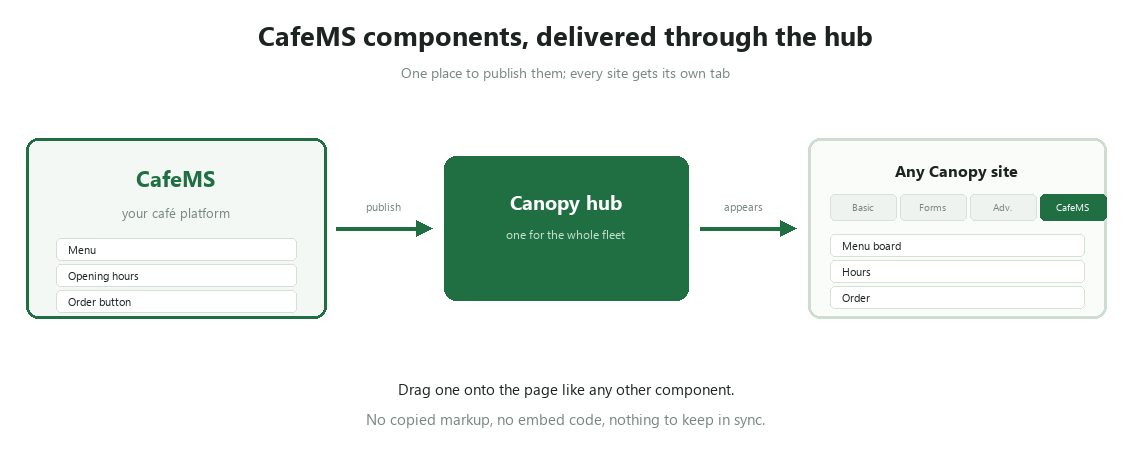
The hub is the delivery mechanism. Publish a CafeMS component manifest to it and every entitled site sees it in the fourth tab of the component palette.
STEP 1
A dedicated tab
The component palette has four tabs: Basic, Forms, Advanced and CafeMS. Café components land in their own tab rather than being lost among the headings and buttons.
STEP 2
Delivered from the hub
Components arrive from the Canopy hub, the same place licences come from. Nothing is copied into each site by hand, and an update reaches every site at once.
STEP 3
Dragged like anything else
Once it is there, a café component behaves like a heading: drag it onto the page, set it up in the settings panel, publish. No embed code, nothing to keep in sync by hand.
What that avoids
The copied-menu problem
Without an integration, a café menu lives in two places: the real one, and the one someone pasted into the website. They agree until the first price change. A Canopy component reads the real thing.
The iframe problem
The usual fix is an embedded frame that ignores your fonts, your colours and your phone layout. A component is part of the page: it inherits the theme and reflows like everything else.
Availability
The CafeMS tab and its delivery mechanism are built and shipped in Canopy today. The café component catalogue is published separately through the hub — talk to us about what your site needs and when it lands.

A multi-tenant site builder where the page is the editor. Built and supported by Creativity Jungle.
Product
- Features
- How it works
- CafeMS integration
- Pricing
Get in touch
hello@creativityjungle.com
Canopy is part of Hospitality Ground Control with RoarPOS and the HGCS Back Office.